
eCaupo blog » Offers, promotions & discounts
Vouchers - how to restrict them to very specific purposes
Vouchers are one of several discount promotions in your delivery shop. Alongside your set menus and bundles, current offers, the loyalty card and permanent discounts, they're one of the most effective ways to bring your customers into your shop. But they should be used correctly.
How you deploy your vouchers is decisive. After all, you're reducing your revenue with them. So it's important that you use them with precision and, in the end, get more out than you put in.
More revenue through targeted use
For example, use vouchers so that they only apply in your app. That way you get your customers to download and use your app. Once it's installed, your customers can order quickly and easily. They'll then order directly from you and no longer via a delivery portal where you pay commission.
These voucher conditions can be defined
A voucher can have very different conditions. You configure all of these conditions per voucher in your eCaupo Manager and can change them at any time. Some of them are:
- Voucher code Enter your voucher code. For example “SUMMEROFFER” for a general voucher many people can use, or “XB48UJ” for a complex, one-time code that only a single customer is meant to redeem.
- Minimum order total A voucher only applies once your configured minimum order total has been reached.
- Euro or percentage value A euro-value voucher has a fixed value, e.g. €5.00. But you can also create a percentage voucher, which then depends on the customer's spending.
- Specific items Define whether a voucher applies only to a certain type of items. For example all pizzas, all main dishes, all items but no offers, and so on.
- Validity May the voucher be applied to all items? You can exclude reduced offers, bundles and set menus from your voucher. You can also limit it to main dishes (see right). Restricting it to self-pickup customers is also popular (only those who collect in person can redeem the voucher).
- Shop, app, phone order Here you define whether the voucher is limited to your app, for example. That way you get more customers to download and use your app if a voucher only applies there. You can also configure the voucher to be valid only for the web shop.
Main dish or not a main dish? You can restrict vouchers to main dishes. That way you prevent a voucher from applying to desserts or drinks, for example. But what exactly is a main dish? You decide! For each of your items you can activate an option specifying that this item is a main dish.
Printed vouchers
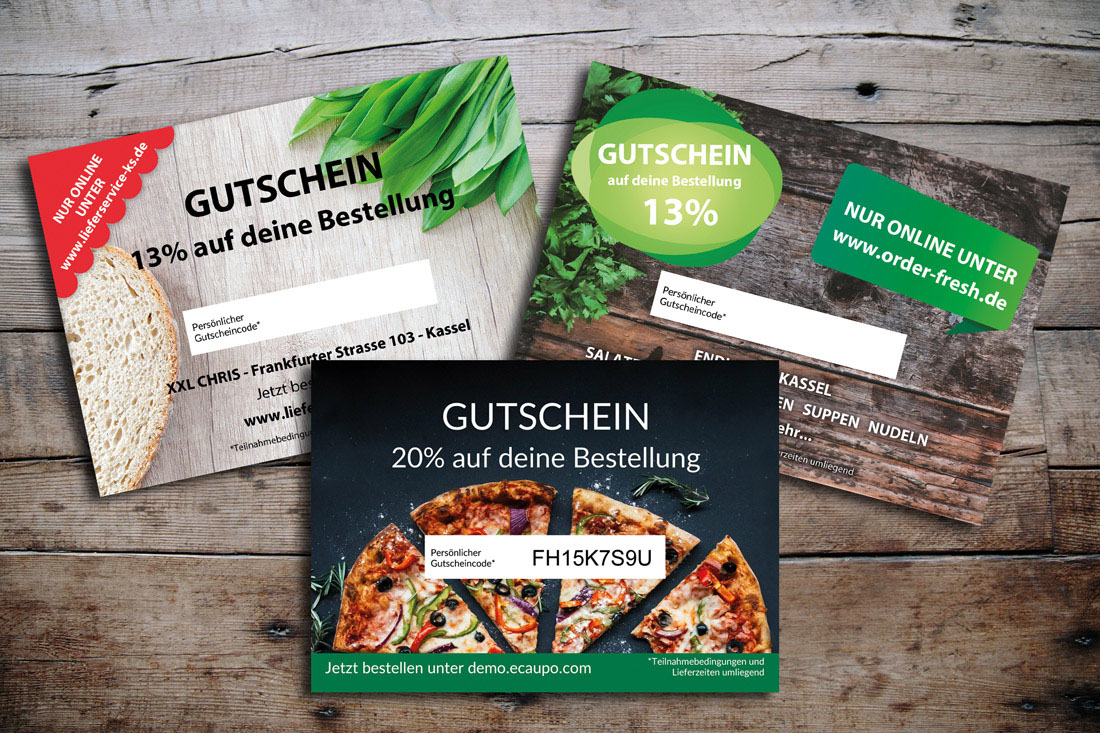
We're also happy to print vouchers for you if you want to hand them out in paper form. Vouchers are printed at a partner print shop and shipped directly to you. We handle the design of the voucher for you, as well as the printing and shipping and the setup in eCaupo. So you pay just one price and receive an all-round service from eCaupo. Our vouchers look premium thanks to 300g paper printing, and the A7 format goes down very well with our customers. Vouchers are rarely thrown away — a considerably bigger problem with flyers.
← More from “Offers, promotions & discounts” · All blog articles
From just €39 you have everything.
Your own delivery shop instead of an expensive portal — try it now without obligation.
Try for free now →